
As our customers’ needs continue to evolve, so too does our technology.
In this series, we’re spotlighting the latest enhancements made to SmartTools. Recent additions include a new suite of data layers offering enhanced visibility into indoor network performance, improved data export capabilities for smoother reporting and a centralised library that enables seamless collaboration across projects.
1. Instantly visualise indoor network performance
As demand for reliable indoor connectivity continues to grow, network teams need scalable ways to understand performance inside buildings.
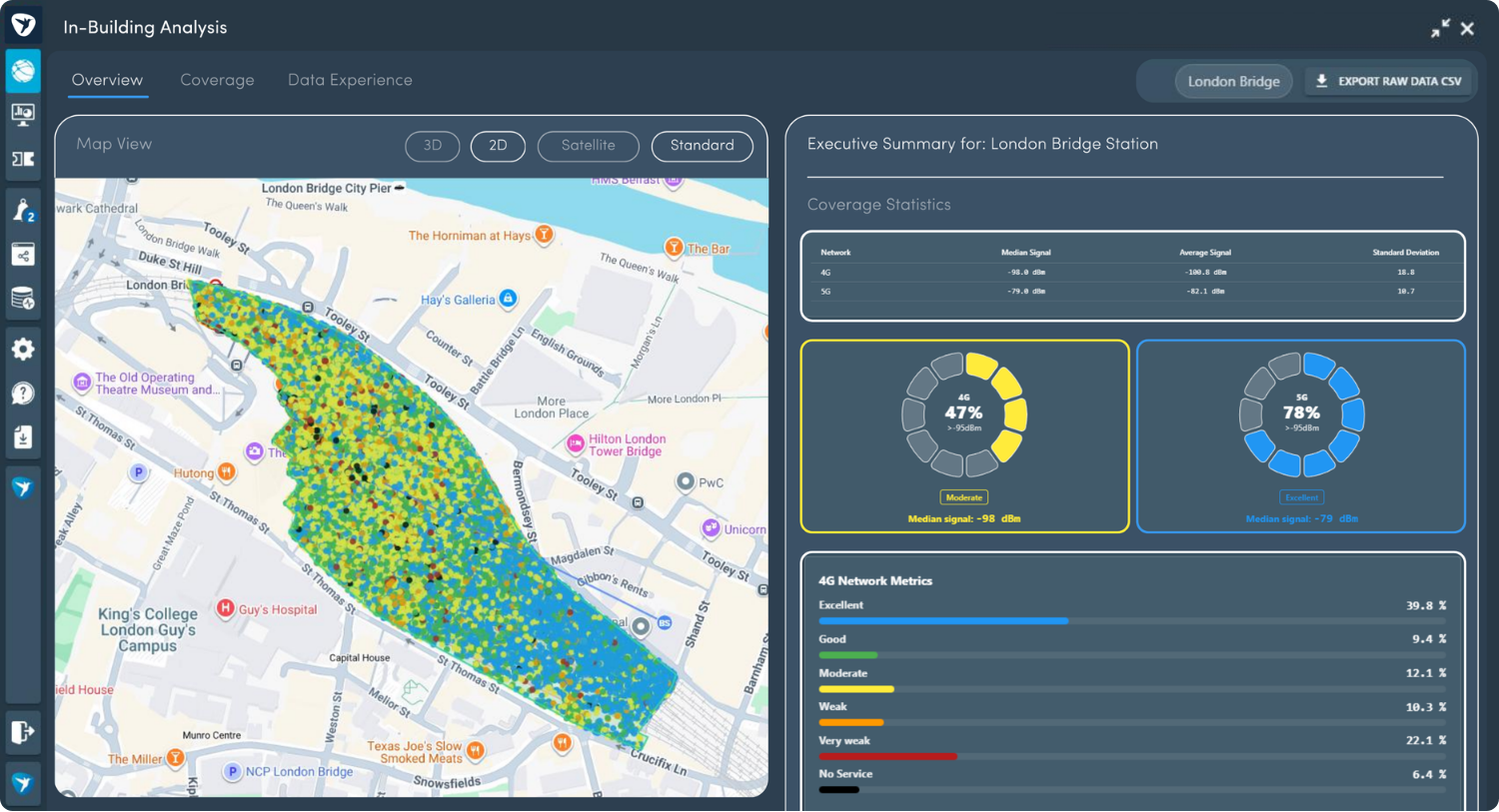
The new In-Building analysis layers in SmartTools provide a granular view of indoor network performance at an individual building level. Using crowdsourced network data combined with building footprint data, users can quickly and easily:
- Identify indoor coverage not-spots
- Validate the impact of network improvements
- Prioritise investment at a building or area level
- Monitor ongoing indoor service quality automatically
All of this can be achieved without the need to physically survey every location, providing an efficient and scalable approach to indoor performance analysis.
2. Model the impact of adding new sites to your network, without leaving the platform
The "Prospective Sites" layer enables users to visually plan and analyse potential new sites directly on the map, without leaving the platform. Users can add and design sites with configurable sectors, azimuths, height, frequency band and cell type, with instant visual updates.
Sites added to the planning layers are visible to other platform users, clearly distinguished by colour. Selecting a site provides access to additional details, including:
- Smart Coverage, which provides predicted coverage based on the site details using an API from CloudRF
- Site Elevation Profile, which provides a view of terrain changes between the site's location and a location specified by the user in a straight line
- Document Manager, which enables documents to be uploaded and saved to the prospective site
This functionality provides a collaborative and data-driven approach to site planning within SmartTools.
.png)
3. Smarter planning with demand and population insights
The network planning functionality now includes demand score and population density layers, giving RF planners deeper insight into local usage patterns and subscriber distribution. Available layers include:
- Demand score when travelling on a railway line
- Demand score when travelling on roads
- Overall demand score for an area
- Population density
These layers can be used to guide investment decisions by providing insights into the local area, enabling teams to build proposals and make decisions using real-world data.
.png)
4. Create your own custom layers
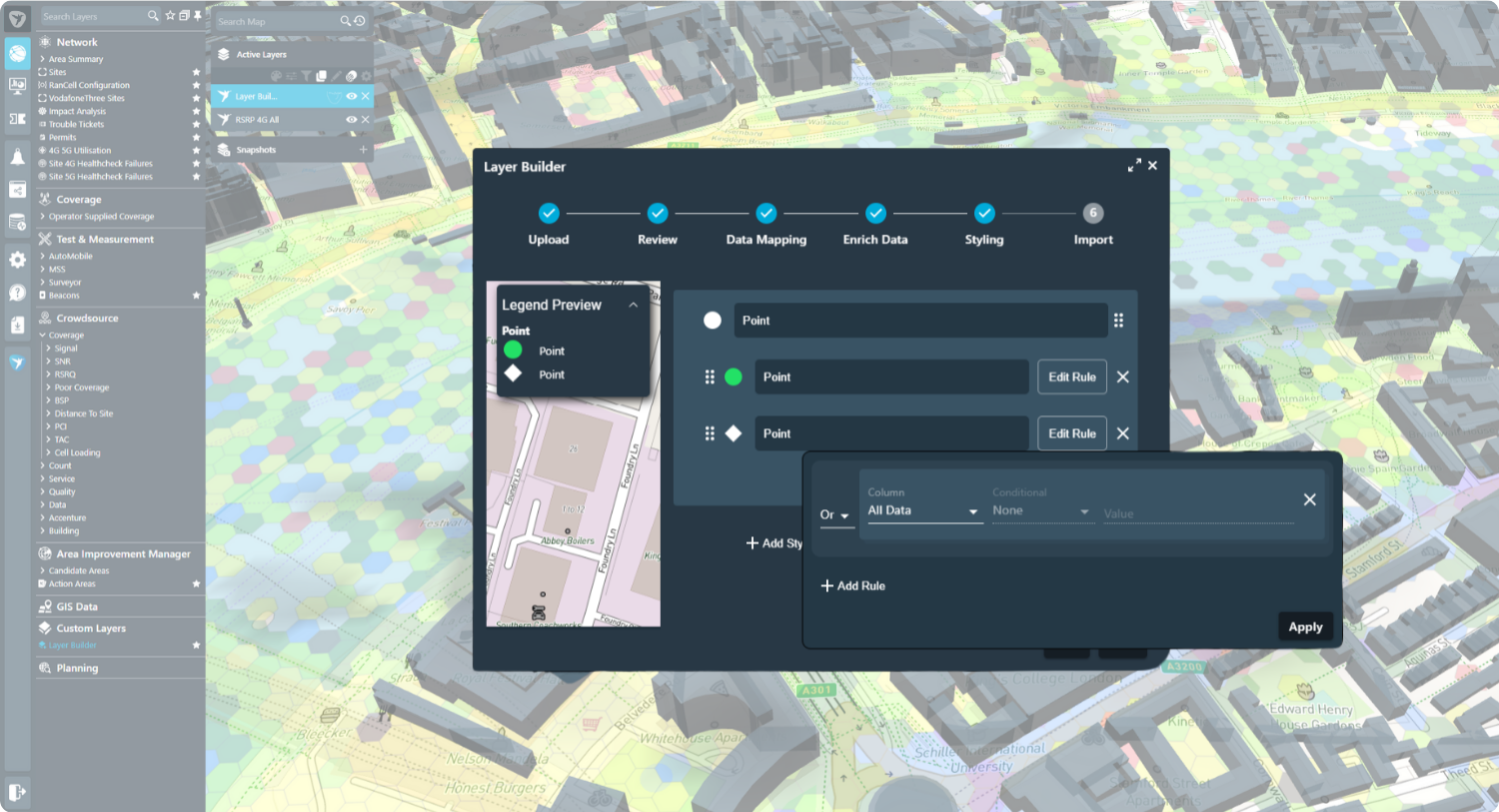
Users can now create their own custom layers in the platform by uploading datasets and adjusting the legend.
This feature allows users to upload their own datasets, visualise them alongside network performance data and share the custom layers between teams. Here are some of our favourite ways this feature has been used:
- Overlaying power network connectivity data to model network resilience
- Visualising planned site upgrades or rollout phases
- Combining key sets of internal asset data with live performance metrics to support planning and prioritisation
Since this feature was launched, over 400 custom layers have been created!
5. Improving how Surveyor data is exported
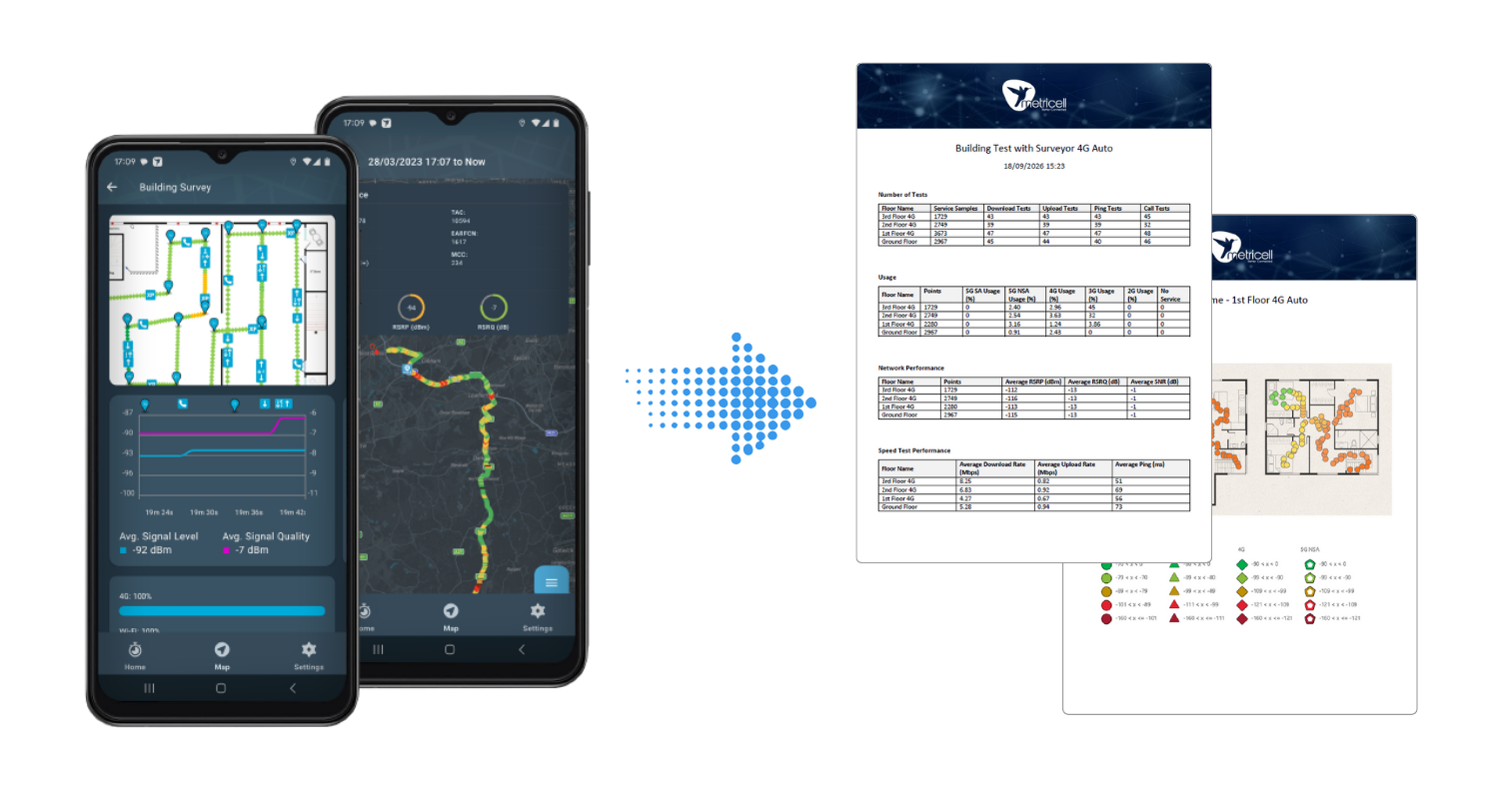
We’ve enhanced the data export functionality for Surveyor, making it easier for teams to access and export the results of their surveys.
Once a survey is complete, users can download their surveys as a single, structured report in Word format. The exported report includes a high level summary, floorplan images and data tables in editable format for each floor.
6. Share your SmartBoards with your team
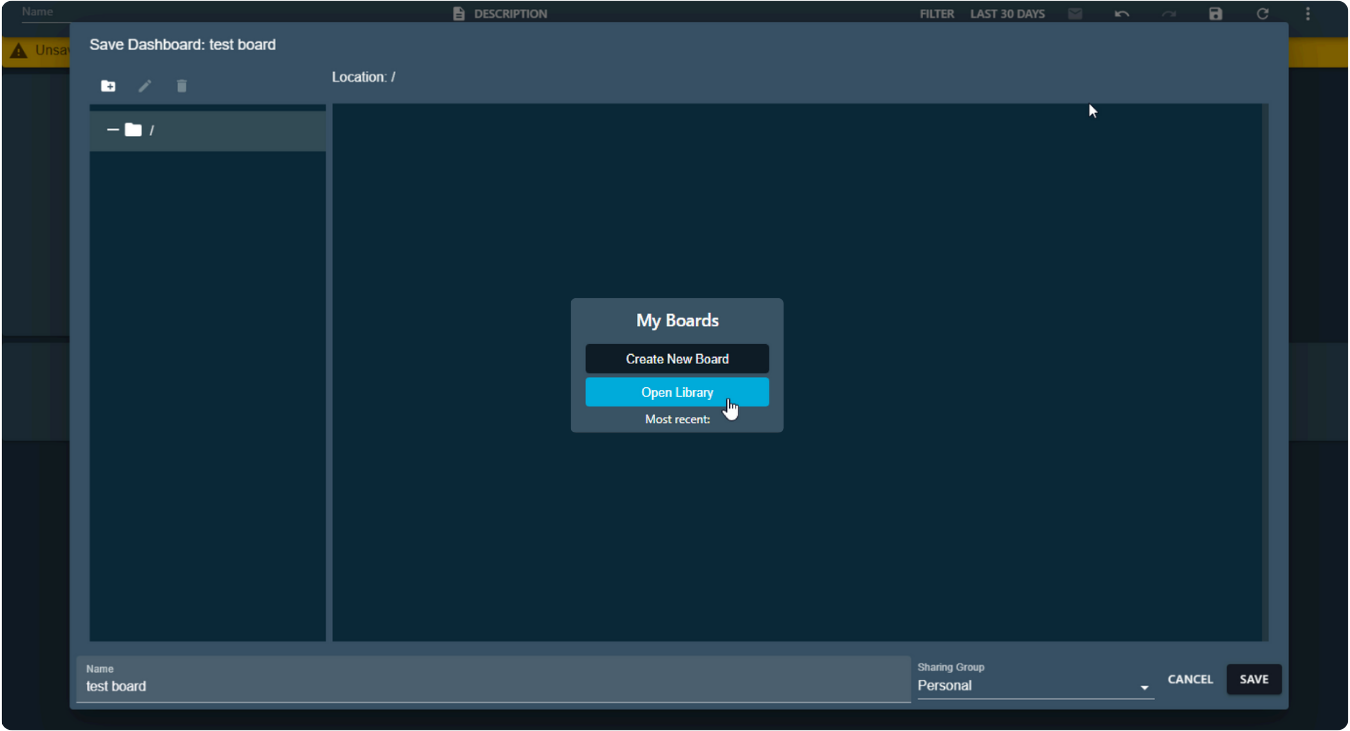
Custom Smartboards can now be saved to a library, enabling easier access and collaboration between teams. When saving a SmartBoard, users can choose to save to:
- 'Personal' - board is saved to your profile and is not accessible by other platform users (default)
- 'Your User Group' - allows visibility to all users in the same user group
- 'Global' - allows visibility to all platform users who have access to view Smartboards
Smartboards are easily accessed via the Library, where users can view both their own boards and those shared with them, with clear indicators showing sharing permissions and ownership.
Accessing These Features:
User Guide Library:
SmartTools user guides are available herr: https://support.metricell.com/kb. If you have previously contacted the Metricell Helpdesk, an account will already exist. If not, you can easily create one via the link above.
Existing customers:
If you would like to enable or learn more about any of the features listed above, please speak to your account manager.
Prospective customers:
If you would like a demo or want to discuss a specific capability, please email us at marketing@metricell.com or submit an enquiry via our website.